Splines in ggplot2
When visualizing trend data, standard line plots can sometimes look a bit too rigid or jagged. If you want to create a smoother, more aesthetically pleasing curve through your data points, splines are a great solution.
In this post, we’ll look at how to easily replace standard lines with X-splines in ggplot2 using the geom_xspline() function from the ggfun package.
The Jagged Baseline §
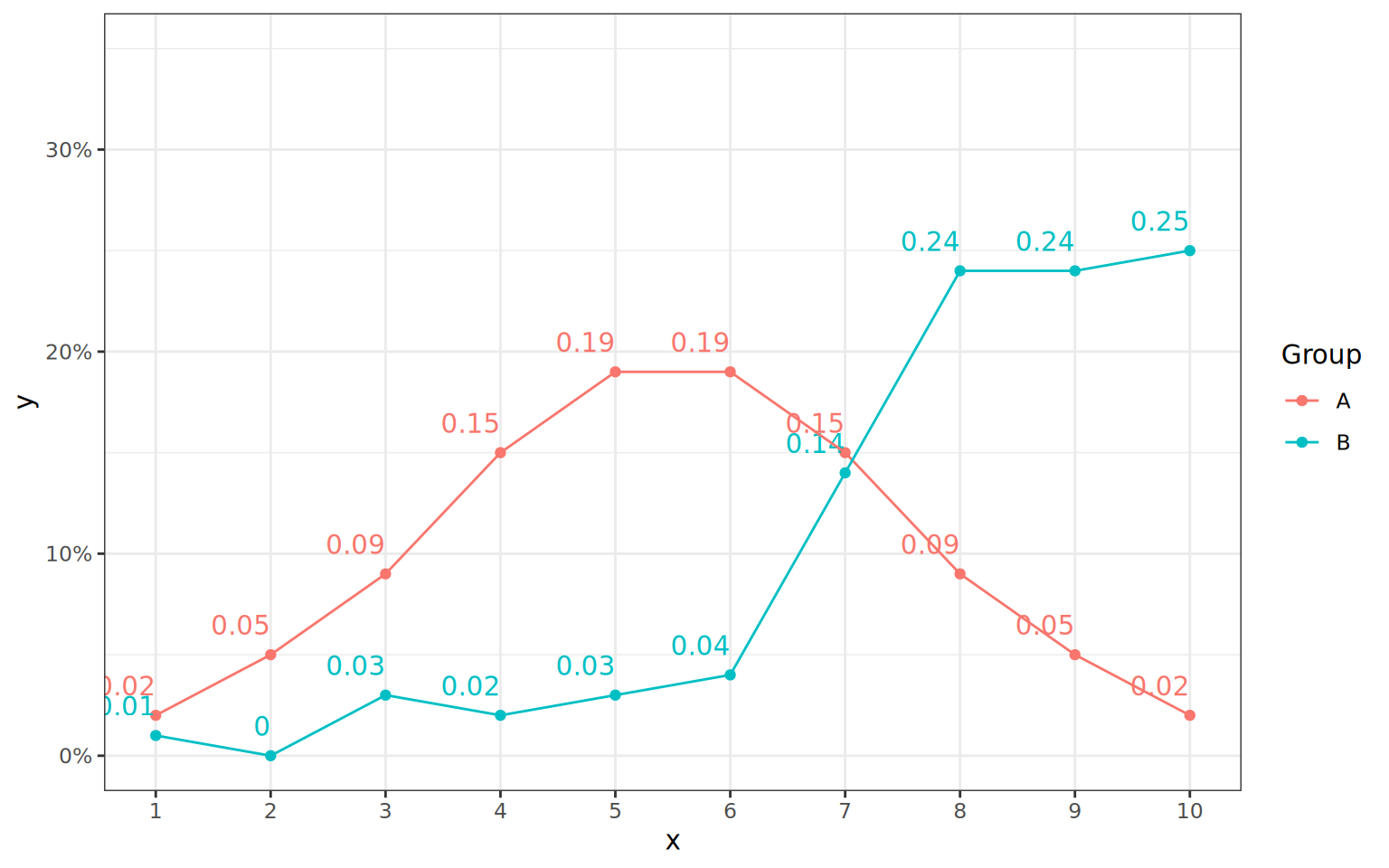
First, let’s look at the default behavior. We’ll set up a simple dataset with two groups and plot it using the standard geom_line(). Notice how the lines connect point-to-point with sharp angles.
library(ggplot2)

df <- data.frame(
  group = rep(LETTERS[1:2], each = 10),
  x = rep(1:10, 2),
  y = c(2, 5, 9, 15, 19, 19, 15, 9, 5, 2,
        1, 0, 3, 2, 3, 4, 14, 24, 24, 25) * 0.01
)

plot <- ggplot(
  df,
  aes(x, y, group=Group, color=factor(group))
) +
  geom_point(aes(color = group)) +
  geom_text(
    aes(label=y),
    hjust=1,
    vjust=-1,
    show.legend = FALSE
  ) +
  scale_y_continuous(
    limits = c(0, 0.35),
    labels = scales::percent
  ) +
  scale_x_continuous(
    breaks = 1:10,
    minor_breaks = NULL
  ) +
  theme_bw()

plot + geom_line()
Adding a Subtle Curve §
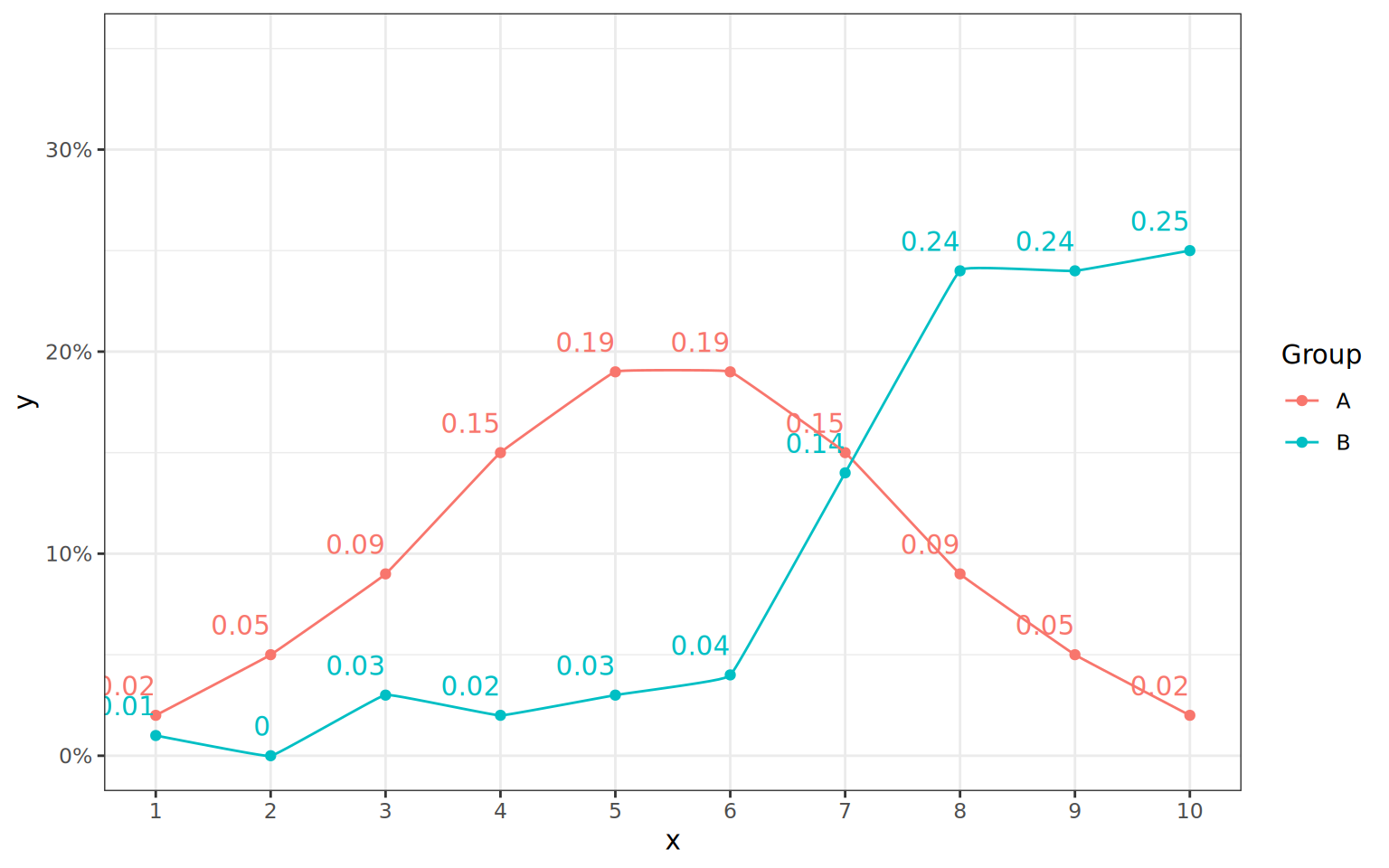
To smooth things out, we replace geom_line() with ggfun::geom_xspline(). The most important argument here is shape.
When shape is negative, the curve is forced to pass exactly through the data points (interpolation). A value close to zero (like -0.1) gives a very subtle rounding to the corners.
plot + ggfun::geom_xspline(shape = -0.1)
A Much Smoother Curve §
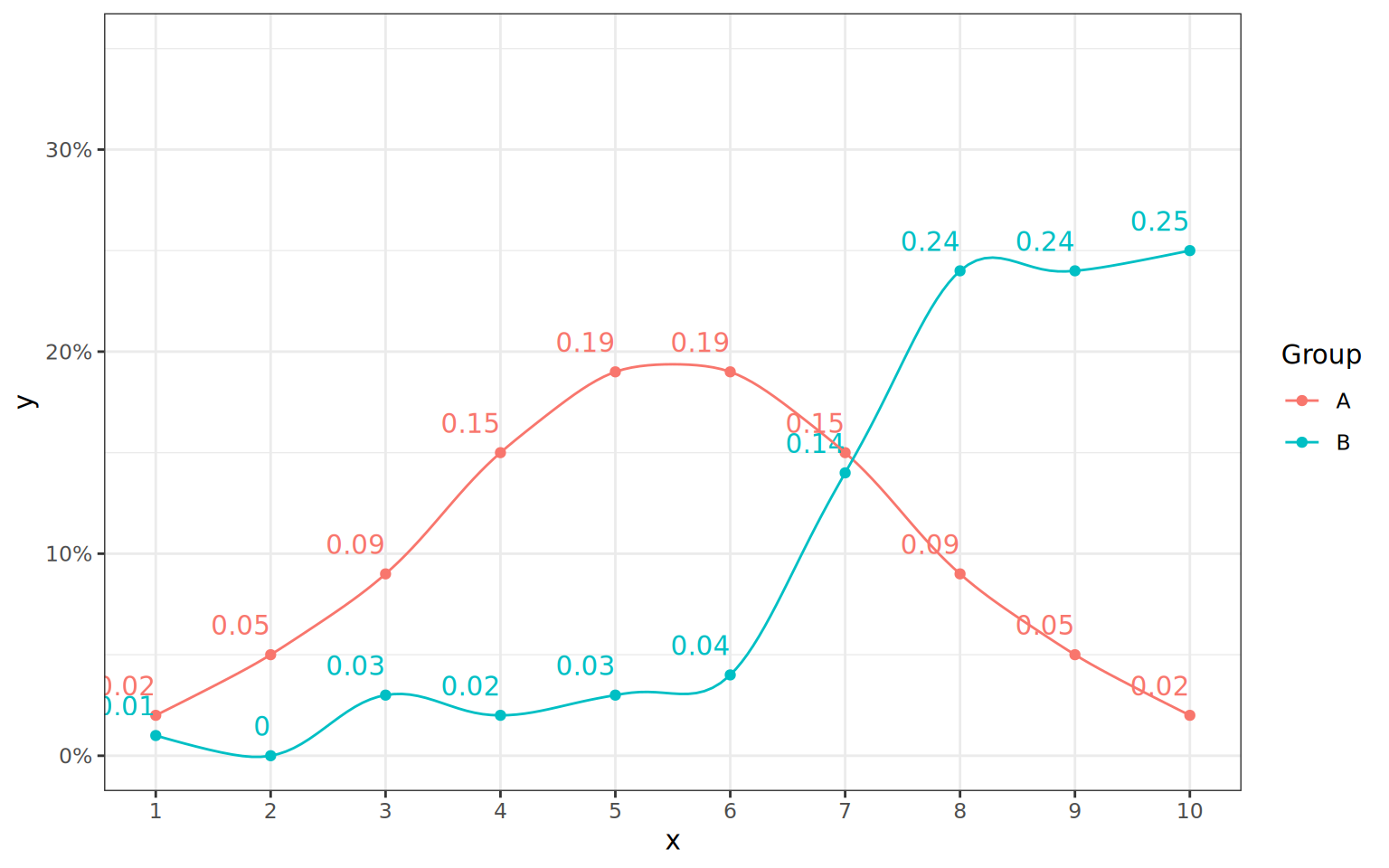
If we decrease the shape value further to -0.5, the spline bows out more between the points.
plot + ggfun::geom_xspline(shape = -0.5)
Approximating the Points §
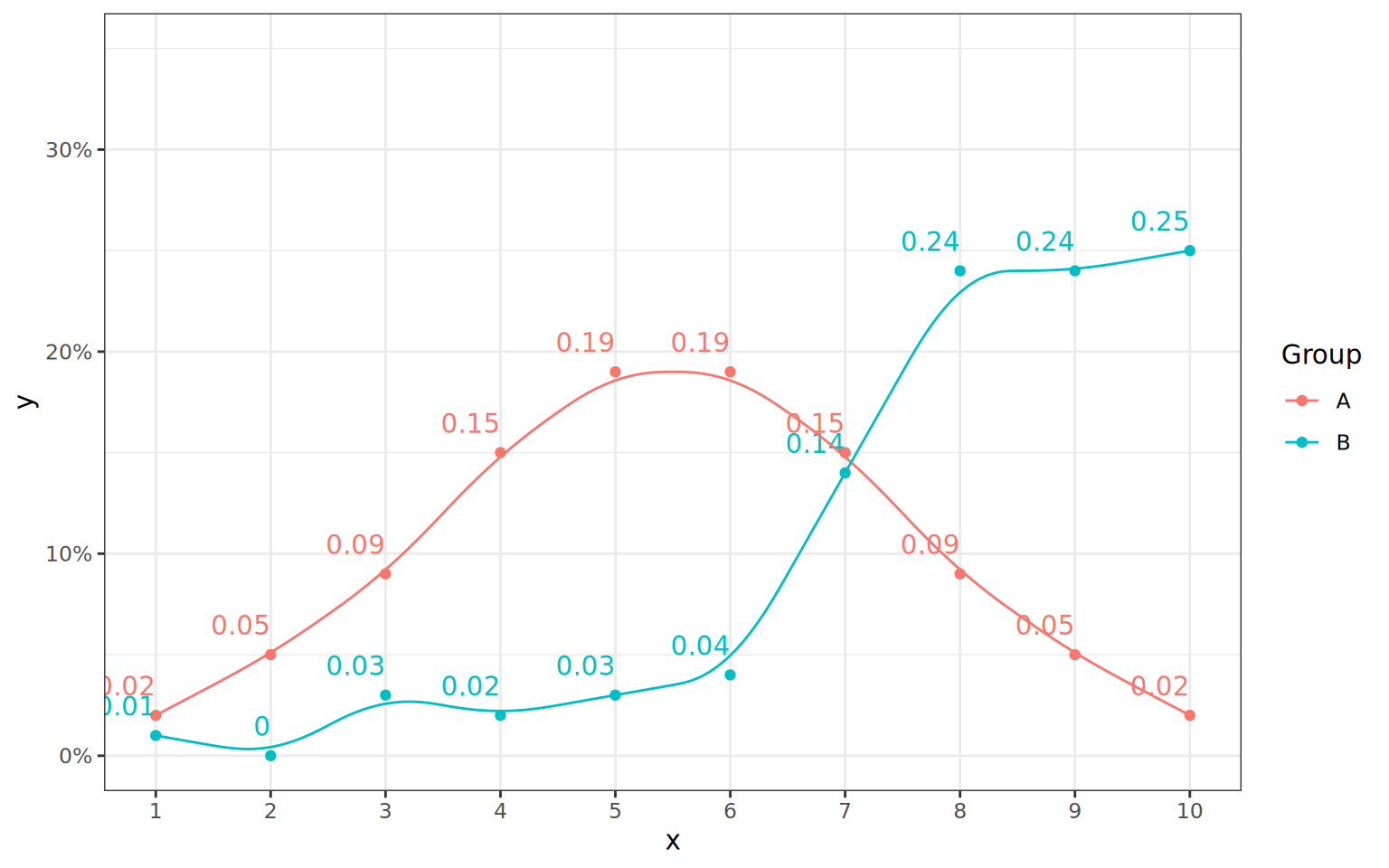
When shape is greater than 0, the line acts as an approximation.
plot + ggfun::geom_xspline(shape = +0.5)
Summary §
Use
geom_line()for strict point-to-point connections.Use
geom_xspline(shape = -0.5)(or similar negative values) for a smooth curve that still honors your exact data values.Use
geom_xspline(shape = +0.5)(or positive values) when you want to show a generalized, smoothed trend that approximations the data path.